Your subject, from the curriculum to every lesson.
You know what's on tomorrow in each class, and with what material.
Planned launch: 1 February 2027
Until then, Aunova is in private beta, by invitation.- 1The curriculum, already loadedYour community's competences, criteria and knowledge: the index of everything you prepare.
- 2Prepare it onceCourse plans, units, learning situations, exams and material, each piece tagged with the curriculum.
- 3Always to handFind it by year, unit or concept, and reuse it or adapt it in no time.
- 4Easier every yearThe more you use Aunova, the less work it takes: next year you start from everything you already have.
Features
You plan your subject with the curriculum already loaded, spread it over the real calendar and know whether you will reach the end of the year. Each lesson has its material, its exam and its learning situation, without starting from scratch.
Pick a group and then a feature to see what you can do with it and try it, with a tutorial to guide you.
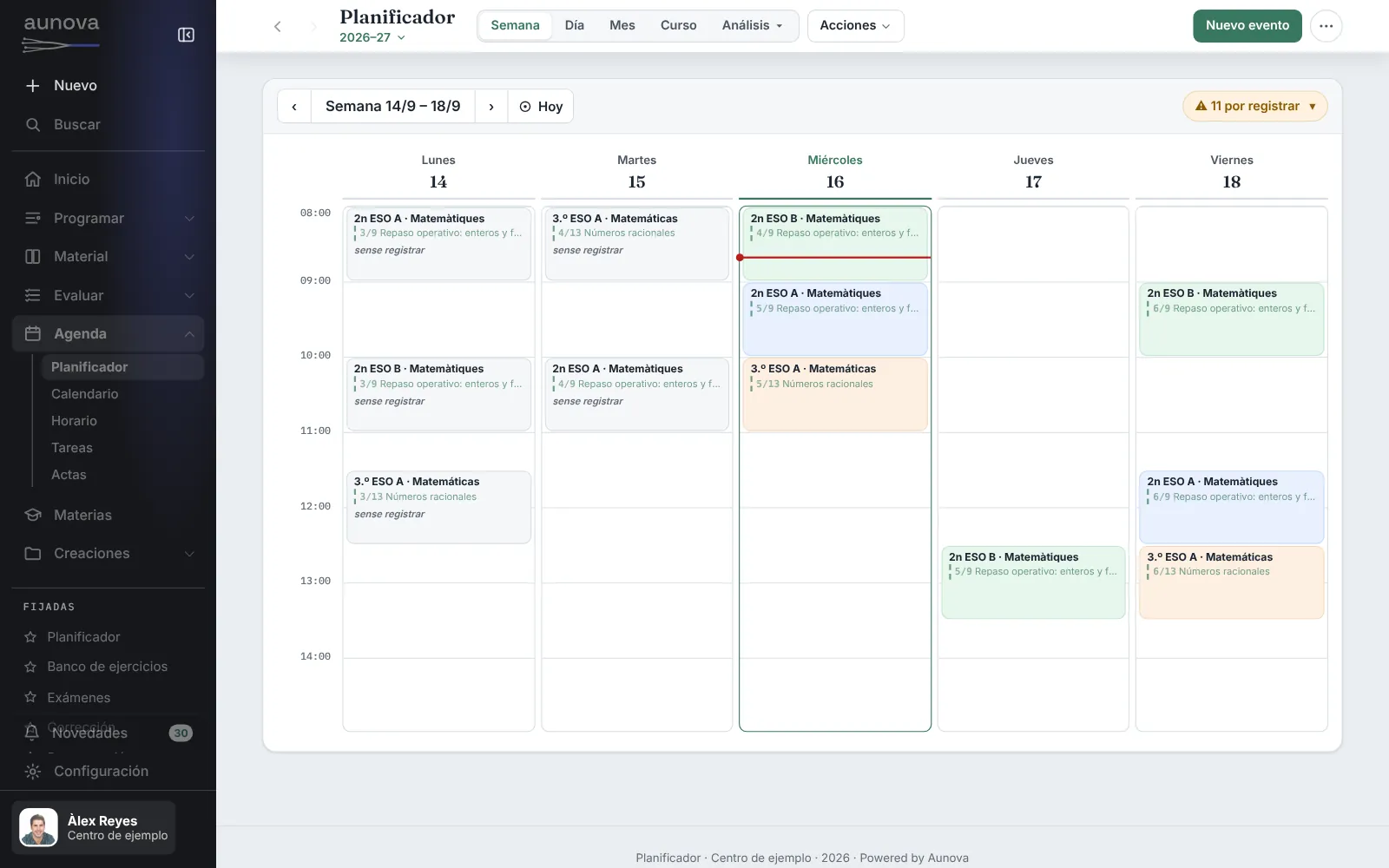
Planner
Your lessons day by day, each with its sheet.
What you can do
- See the day's and the week's planner, built from your timetable and the course plan
- Open a lesson and mark whether it was done, half done or not
- Note the curriculum concepts covered and what you did
- Set homework, material or an exam for the group to see on the subject website
Tasks
What you need to do, with date and priority.
Course plan
The units, criteria and content of each subject.
What you can do
Tap one and we'll show you how it's done, step by step, on the platform.
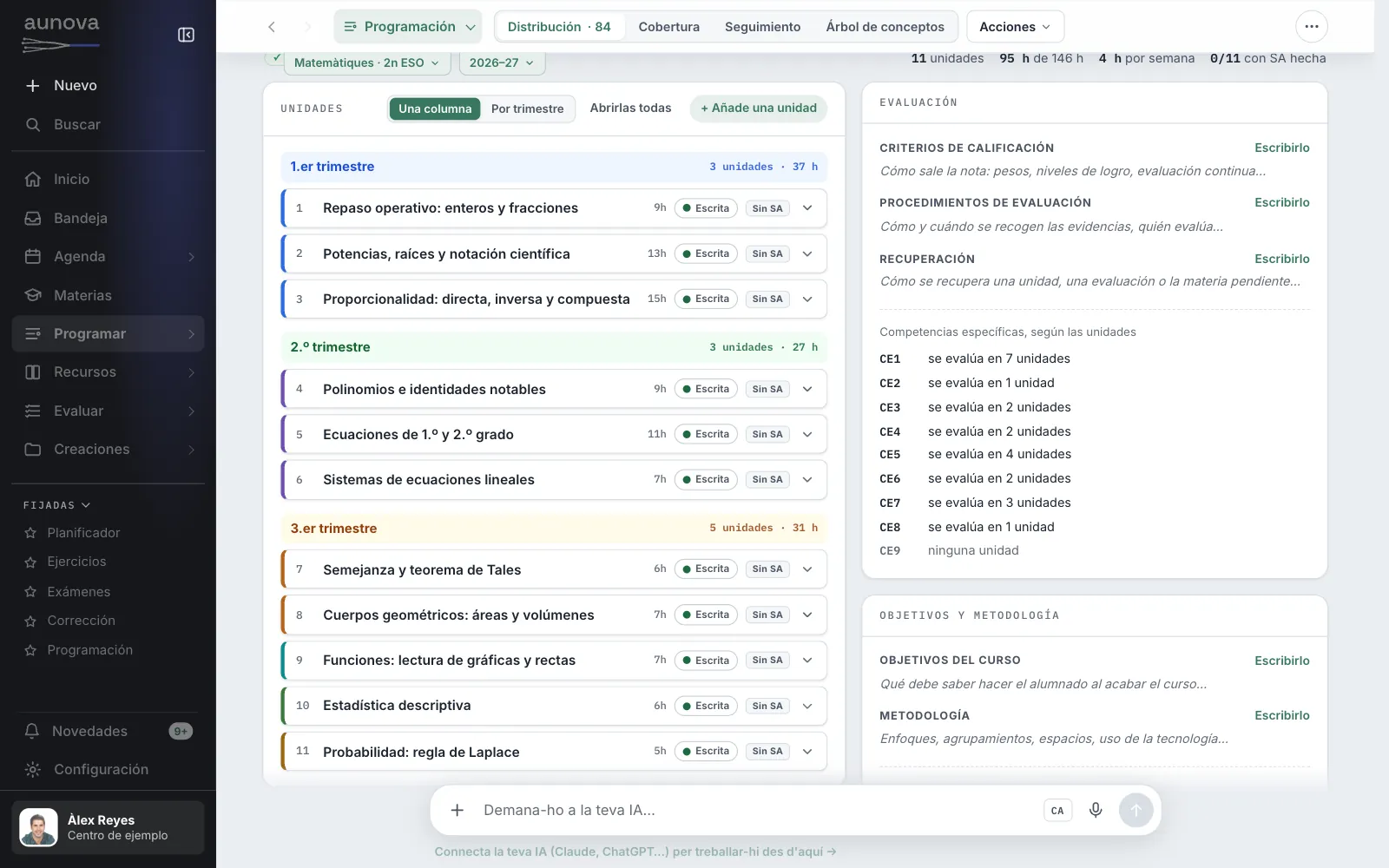
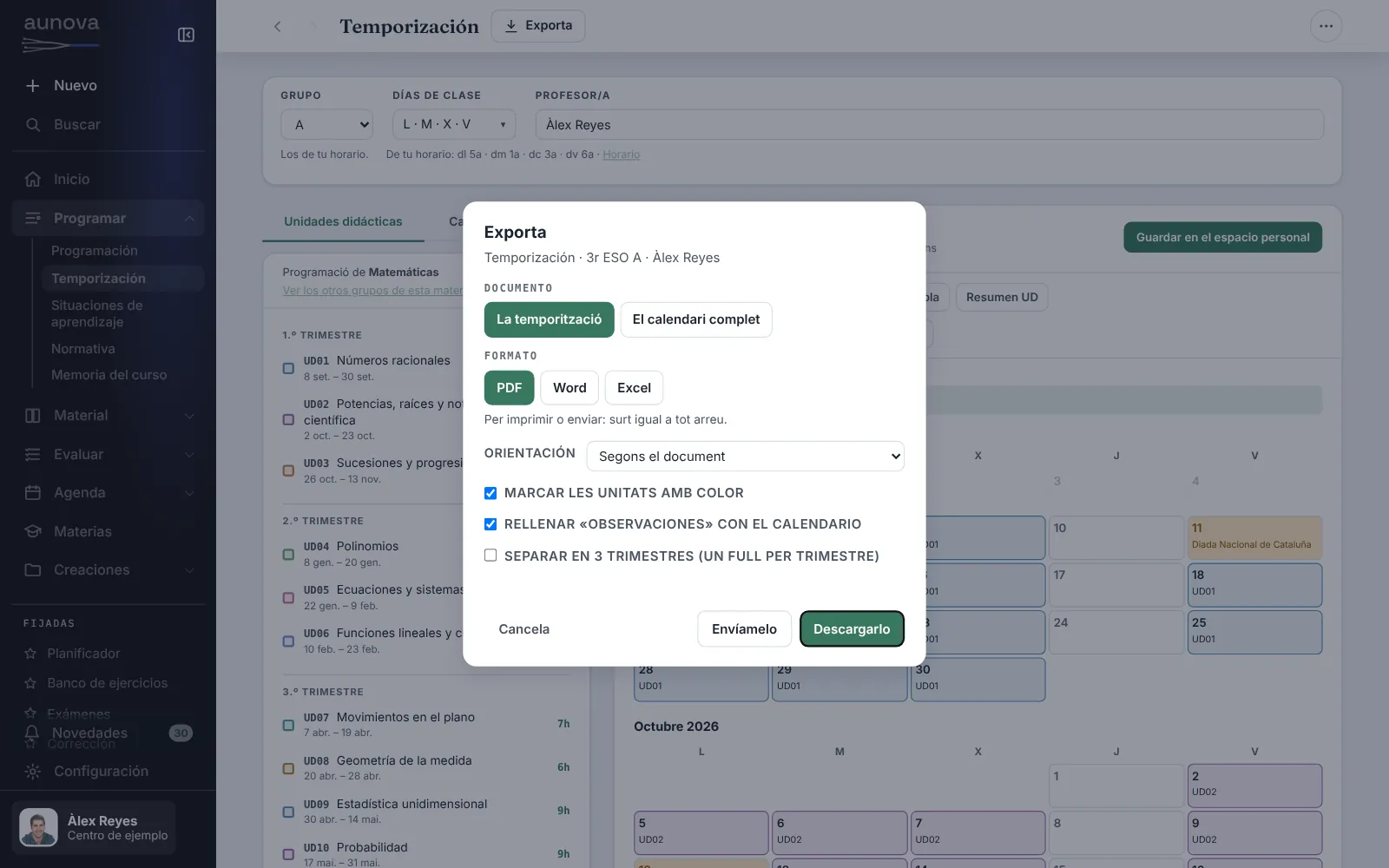
Scheduling
How many lessons each unit has and when they fall.
What you can do
- Choose the year, the group and the class days
- Spread the units over the school days, with holidays and breaks
- Preview each week with its unit and its deviations
- Export to Excel, Word or PDF
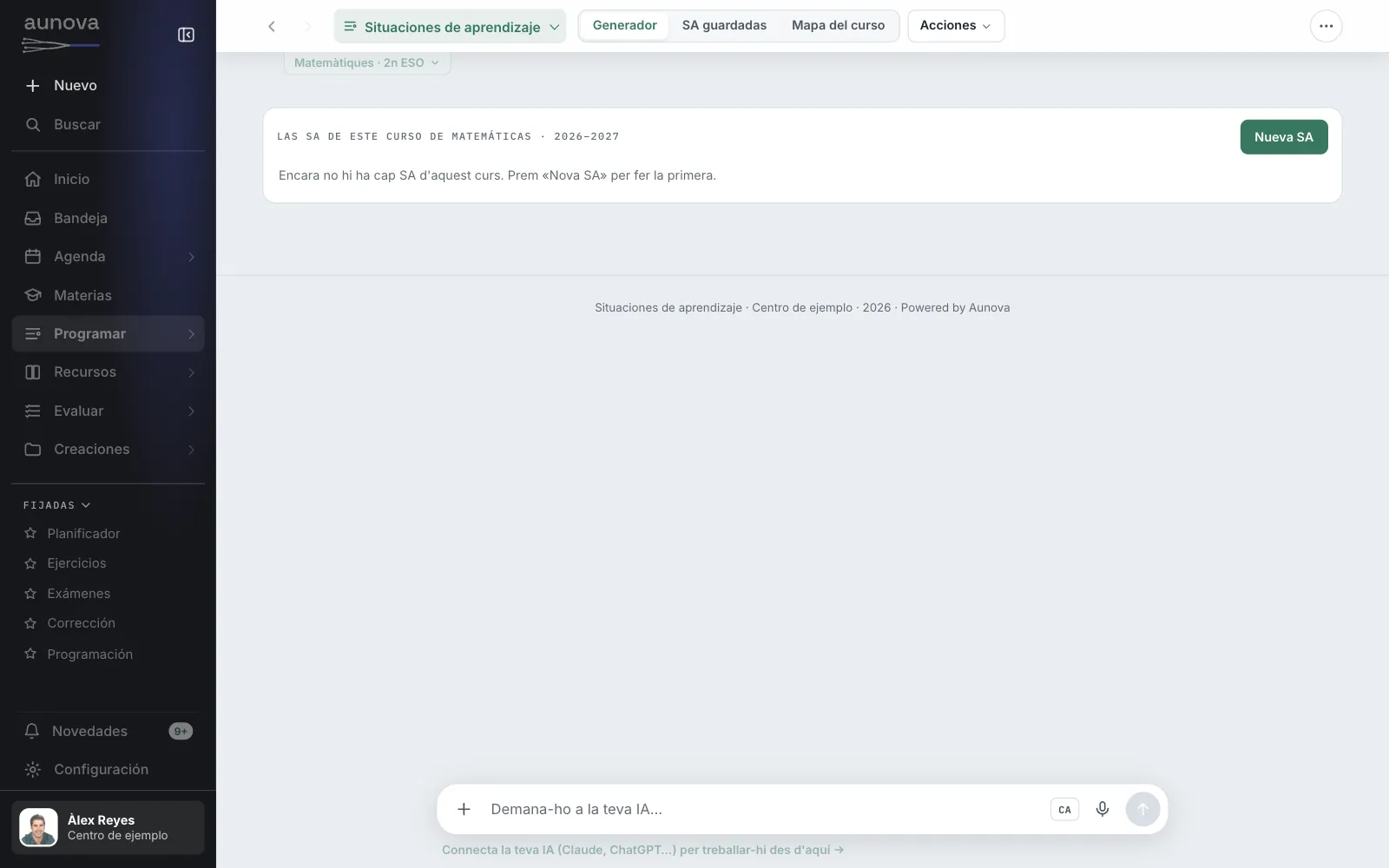
Learning situations
Build the LS lesson by lesson and attach it to your planner.
What you can do
- Choose the year and the units you have already planned
- Generate the situation with the specific competences already marked
- Decide which are worked on and which are assessed
- Get the assessment criteria word for word from the decree
- Save it to share it or export it to Word with the official template
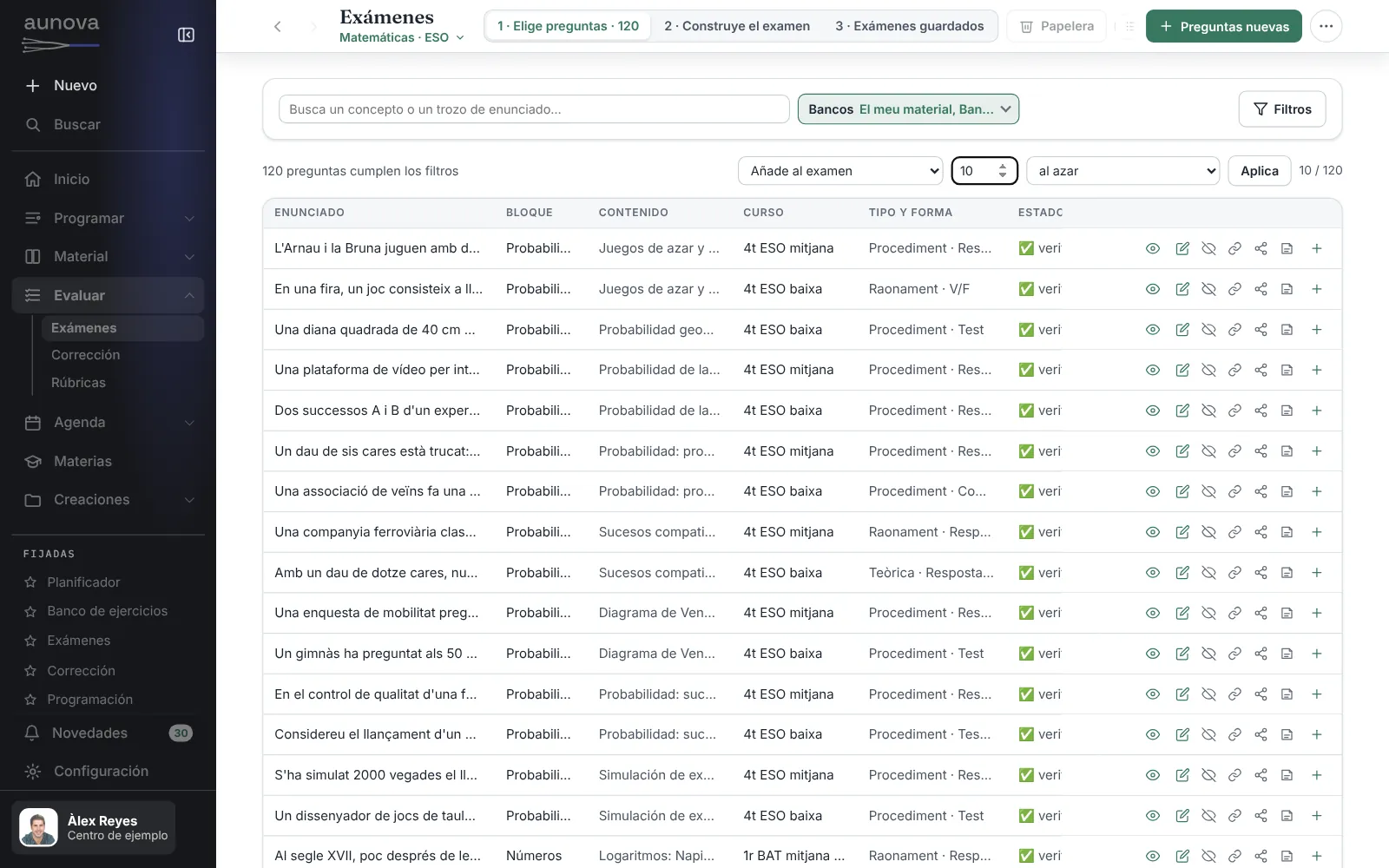
Exams
Generates the test, solves it and brings it to you printed.
What you can do
- Filter the bank by year, block, concept, source or type
- Ask for random questions or add them one by one
- Put the exam together: order, points, answer space and versions A and B
- Get the version with solutions from the same layout
Mark a test
A closed test's answers and what they show. Nothing is stored.
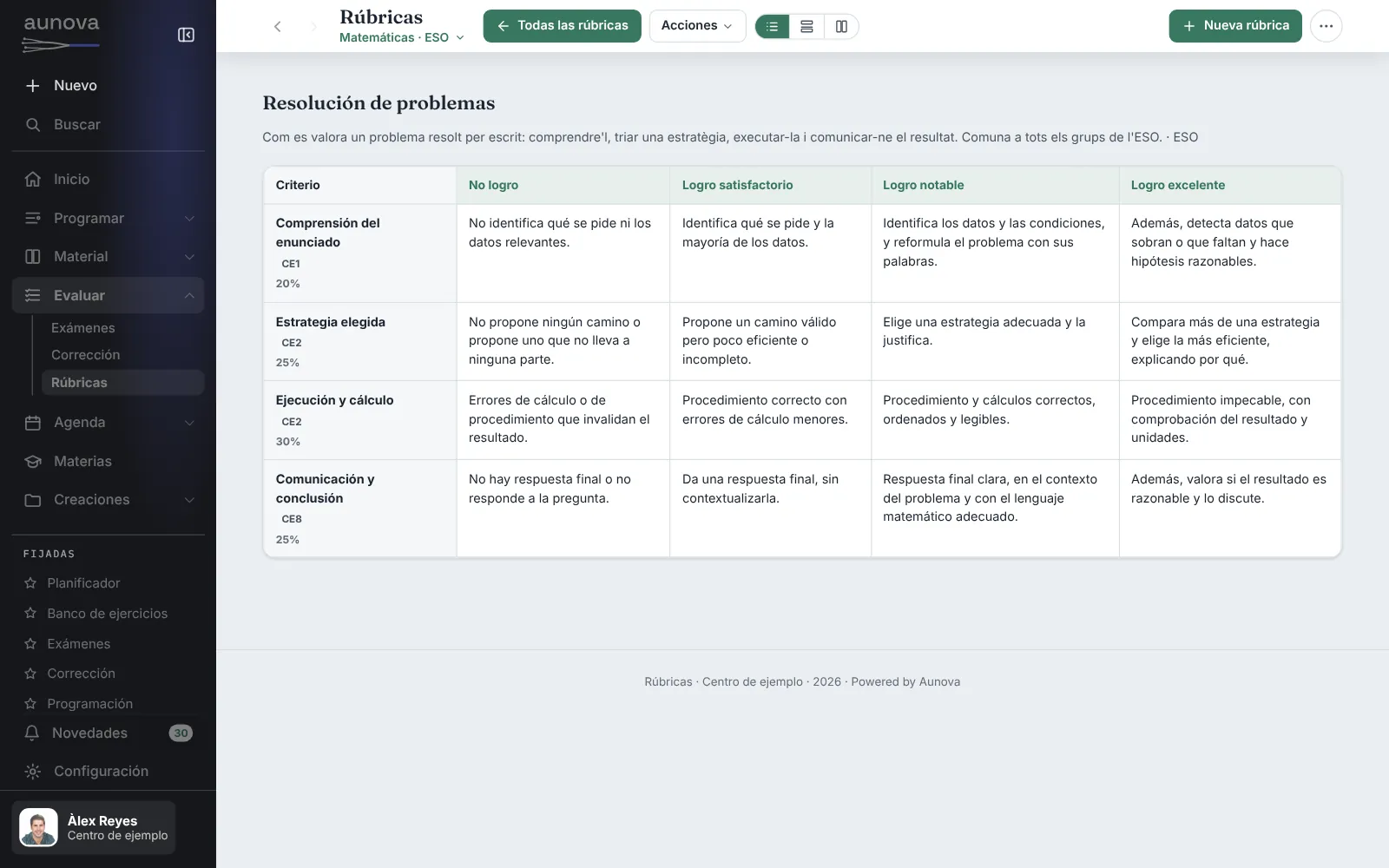
Rubrics
Criteria and levels: what should be seen in each cell.
What you can do
- Create a new rubric from a template
- Adjust criteria, competence, weight and levels
- Print it or export it to PDF or Word, the same for all your groups
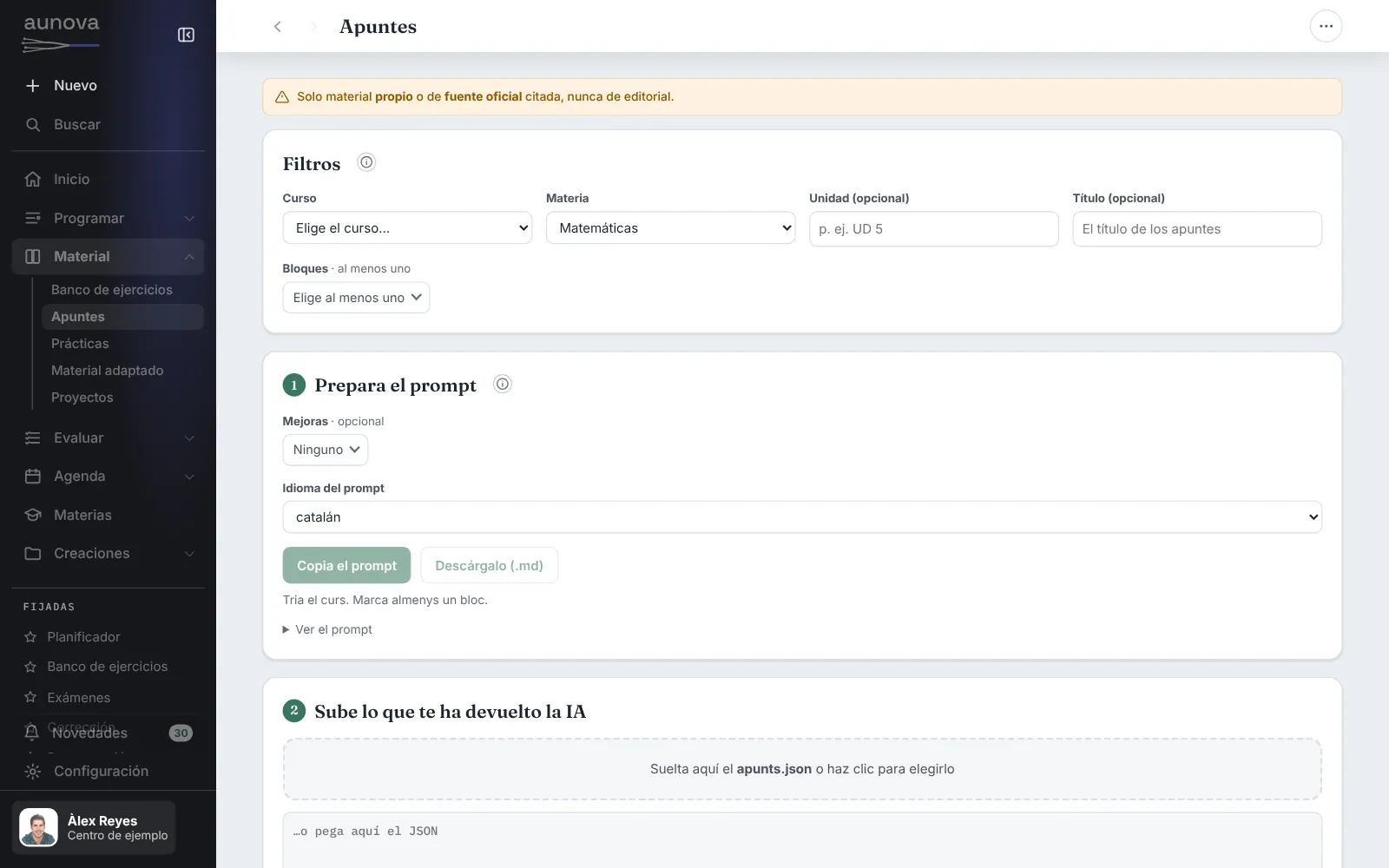
Notes
Your notes in reusable sections.
What you can do
- Turn your PDF or PowerPoint notes into reusable sections
- Copy the prompt with the taxonomy's concepts for your AI
- Paste what the AI gives back and review sections, blocks and tags
- Upload them to your notes bank
Exercise bank
Exercises sorted by unit and type.
Practicals and worksheets
Equipment, steps and safety for each practical.
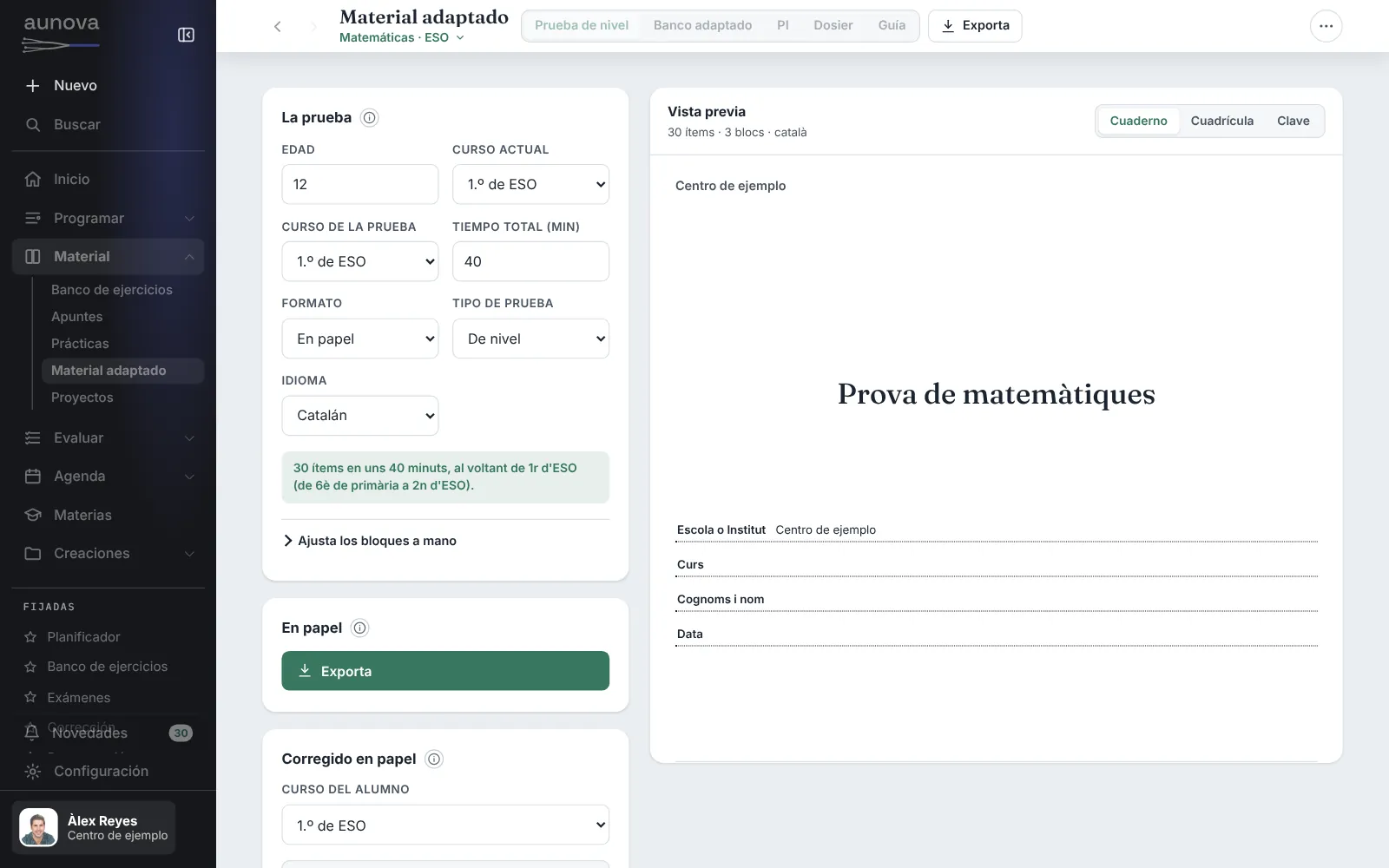
Adapted material
Versions for students with support measures.
What you can do
- Give the level test, with questions you can follow from the drawings and in many languages
- Find adapted exercises by year, block and type
- Prepare the individual plan details to take to Word
- Put together the work booklet with its answer key
- Check the support guide by profile and the UDL measures
Projects
A project's challenge, plan, deliverables and assessment.
Classroom activities
Short activities, thinking routines and games.
Manipulatives
Cut-outs, templates and boards to print or build.
Digital materials
GeoGebra, videos, Kahoot, Edpuzzle… all in one place.
Course setup
The calendar, your classes, the periods and the timetable.
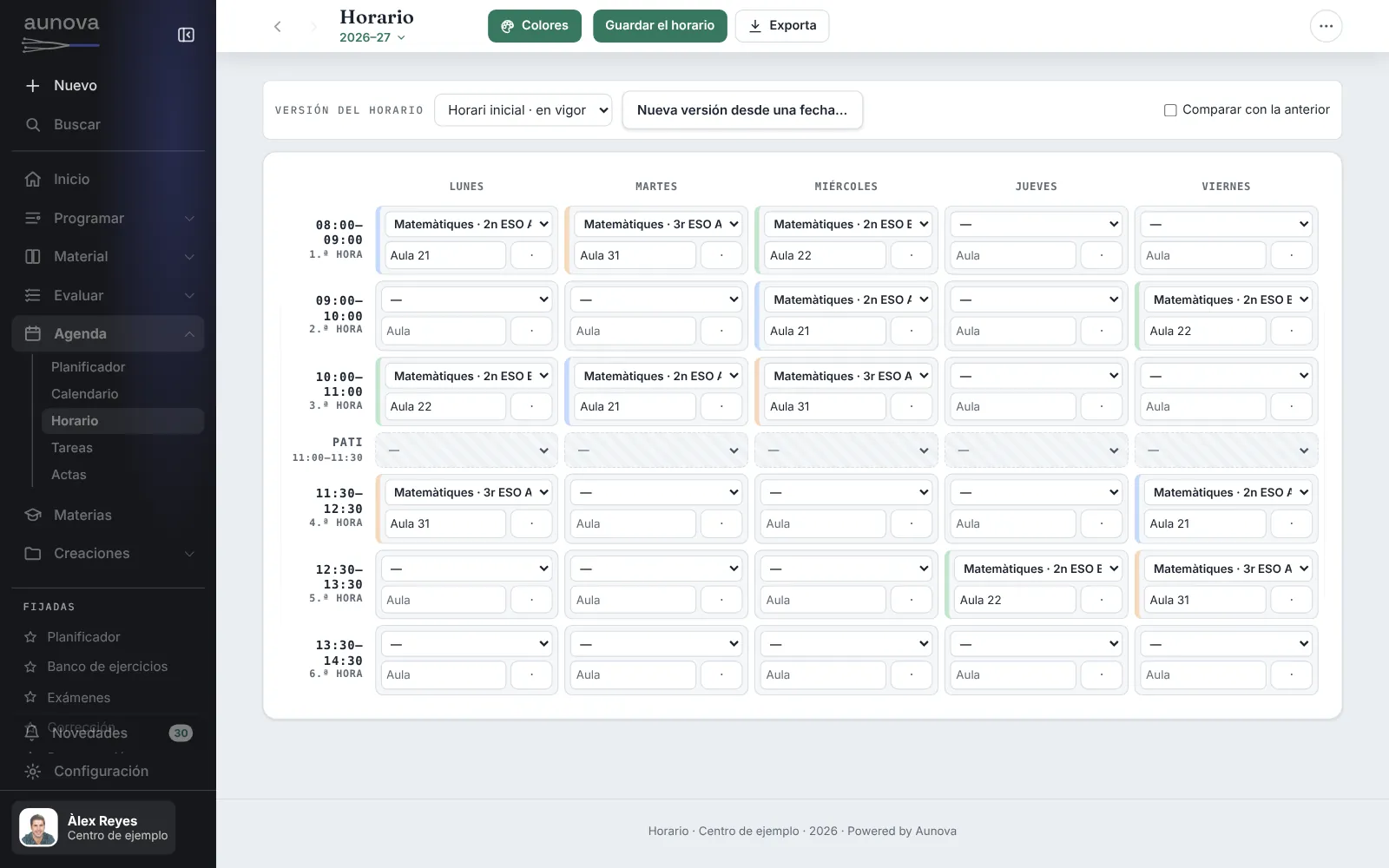
Timetable
Your week. The planner comes from here.
What you can do
- See which group and which subject is on each hour of the week
- See the classroom for each class
- Build the week's planner automatically when you save it
Timeline
Holidays, assessments and trips for the whole year.
Regulations library
The subjects and stages you teach, and a search tool for all official documents.
Minutes
From the meetings you attend: write them, import them and export them.
Year report
What was done during the year, for your year group.
My creations
All the materials you have made, of every type, in a single list.
Shared material
What other teachers send you, and what you send.
AI connector
Prepare material with your own AI, tagged to the curriculum.
Your space is yours
What you prepare is yours and, if you change schools, it stays with you. If your school also works with Aunova, what each teacher creates belongs to them and to their school.
The screenshots show a teacher's workspace with sample data, in a fictitious school: they do not correspond to any real school and may contain pedagogical simplifications.
AI, to bring in what you already have
If you use AI, your curriculum plans, learning situations, notes, exercises and exams come into Aunova without being rewritten. Your AI transfers them to the platform and indexes them with a taxonomy drawn from official documentation and expanded: you find them by competence, criterion or basic knowledge. Nothing goes into your bank until you review it.
With Aunova's instructions
You copy Aunova's prompt into the AI you use and paste the result into Aunova.
By connecting your AI to Aunova
Today, with Claude, ChatGPT or Gemini (MCP). What it prepares waits for you in an Aunova inbox.
And it will help with more and more: new features will keep arriving and, later on, an assistant inside the platform.
Roadmap
Until the launch, planned for 1 February 2027, Aunova is in private beta.
- Now · private beta
Aunova is in private beta, by invitation.
- December 2026
We publish the legal texts: the terms of use, the terms of purchase (payment, renewal and withdrawal) and the platform's privacy policy.
- 1 February 2027 · Planned launch
Aunova opens to all teachers, from early childhood education to Bachillerato and intermediate and advanced vocational training, with the curriculum, hours and school calendar of every autonomous community. You start with Aunova Free, with no card and no expiry date, and if you want to work with all your classes, you move to Aunova.
- 31 August 2027
Last day to get the founder price, while places last: 1,000 on Aunova and 1,000 on Aunova Plus, worldwide.
Prices
The plans begin at launch, planned for 1 February 2027. All three include every Aunova feature: what changes is how many classes you bring and how much you use it. The way to try it is Aunova Free, with no card and no expiry date.
Aunova Free
All of Aunova, with one class.
What you can do
- Every Aunova feature
- With one subject and one of your groups
- Download all your work once a month (a ZIP with Word, Excel and the PDFs you have already made)
Usage limits
- AI connector: 10 proposals a month, with your own AI
- Create up to 10 PDFs a month
- Download up to 100 documents in Word or Excel a month
- Save up to 10 of each document (exams, learning situations, notes, plans…) and 100 of each bank (exercises, notes sections, events…)
- 100 MB for your files
- Send or share material up to 5 times a month
Aunova
Your teaching work on one platform.For a teacher's day-to-day.
What you can do
- Every Aunova feature
- With all your subjects and all your groups
- Download all your work once a month (a ZIP with Word, Excel and the PDFs you have already made)
Usage limits
- AI connector: 150 proposals a month, with your own AI
- Create up to 80 PDFs a month
- Download up to 1,000 documents in Word or Excel a month
- 2 GB for your files
- Send or share material up to 60 times a month
- Save everything you make: no limit on documents or exercises (only on file storage)
Aunova Plus
The same platform, with more capacity.For those who use it in depth.
What you can do
- Every Aunova feature
- With all your subjects and all your groups
- Download all your work once a month (a ZIP with Word, Excel and the PDFs you have already made)
Usage limits (much higher)
- AI connector: 600 proposals a month, with your own AI
- Create up to 250 PDFs a month
- Download up to 3,000 documents in Word or Excel a month
- 10 GB for your files
- Send or share material up to 200 times a month
- Save everything you make: no limit on documents or exercises (only on file storage)
You are a founder if you start paying for Aunova or Aunova Plus by 31 August 2027, while places last (1,000 on Aunova and 1,000 on Aunova Plus, worldwide), and you keep a 25% discount on the standard price for as long as you keep paying, including if you switch between plans or move to Aunova Archive.
A proposal is each item your AI leaves in Aunova for you to review (some exercises, a learning situation, a scheme of work…); reading does not count. The AI is your own: Aunova neither includes it nor charges for it.
If you pay and change your mind, you have 14 days from payment to withdraw and you get the full amount back.
Prices and terms in force as of 7 November 2026. They may change: we will give you at least 30 days' notice, a period you have already paid for never changes and, if you do not agree, you can cancel at no cost before the change applies. Usage limits may also change, with the same notice.
Questions
Does it work in my autonomous community?
Today, with Catalonia's. For the launch, planned for 1 February 2027, the curriculum, hours and school calendar of every community will be there.
Which stages?
From the launch, planned for 1 February 2027: early childhood education, primary, ESO, Bachillerato and intermediate and advanced vocational training.
What language is it in?
The platform, in Spanish, Catalan, Galician, Basque and English. The curriculum, in the official language of each community.
Does it replace my gradebook?
No. Aunova is where you prepare the year and your lessons. Grades and attendance stay in the gradebook or platform you already use.
Do I need an AI?
No. Everything can be done by hand. If you use one, it helps you upload what you already have: with Aunova's instructions or by connecting it directly (currently, Claude, ChatGPT or Gemini). Nothing goes into your bank until you have reviewed it.
My school already uses Aunova. What do I do?
Sign in with your school account from Sign in.
How much does it cost?
Aunova Free costs nothing and never expires: you get all of Aunova with one subject and one of your groups. Aunova, with all your subjects and groups, costs €19.99 a year, and Aunova Plus, with more capacity, €39.99 a year. Until 31 August 2027, the first 1,000 Aunova subscriptions and the first 1,000 Aunova Plus subscriptions worldwide get the founder price: €14.99 and €29.99.